Use case: Plan a transfer between locations
Goal
Plan transportation for goods moving between two Business Central locations.
When to use it
Use this flow when a released Transfer Order needs transport planning before execution.
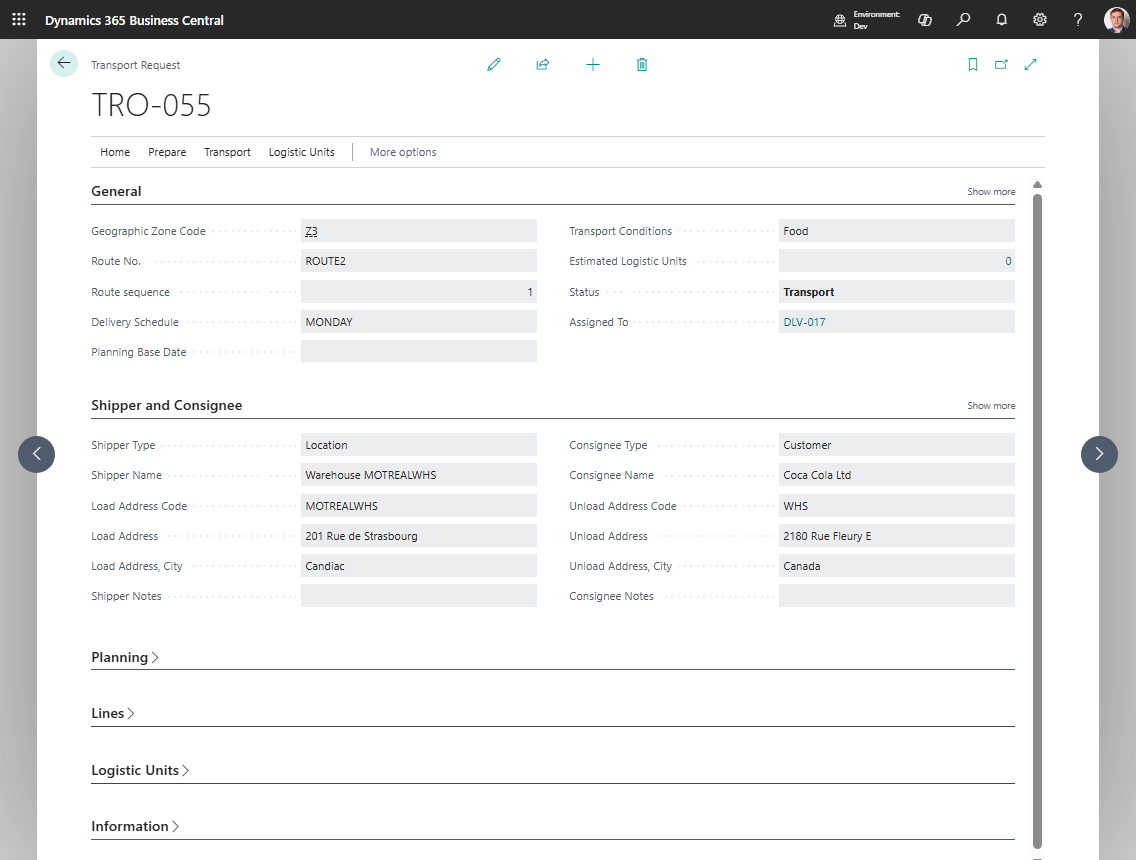
Before you start
- The Transfer Order is Released.
- Transfer-from and transfer-to locations have usable address or map location data.
- TMS Setup allows request creation from transfer documents if your process uses automatic creation.
Steps
- Open the Transfer Order.
- Choose Create Transport Request.
- Review the created request and its route endpoints.
- Fill load and unload date/time values.
- Choose Release.
- Assign the request to a Transport Order.
- Plan carrier, vehicle, driver, route, and documents.
- Release the Transport Order when ready.
Expected result
- The Transfer Order creates transport demand.
- The Transport Request is assigned to a Transport Order for execution planning.
What to do next
Execute and post the Transport Order according to your transfer process.
Common errors
| Problem | What to check |
|---|---|
| Posted transfer pages have no TMS actions | The current UI exposes source-document actions on Transfer Order, not Posted Transfer Shipment or Posted Transfer Receipt pages |
| Transfer warehouse document is not created | Transfer lines are not created as warehouse documents by the current Transport Order warehouse action |
| Route endpoints are missing | Review transfer-from and transfer-to location address and map location data |