Use case: Review delivery execution and posted history
Goal
Find delivery events, proof-of-delivery evidence, and posted Transport Order history.
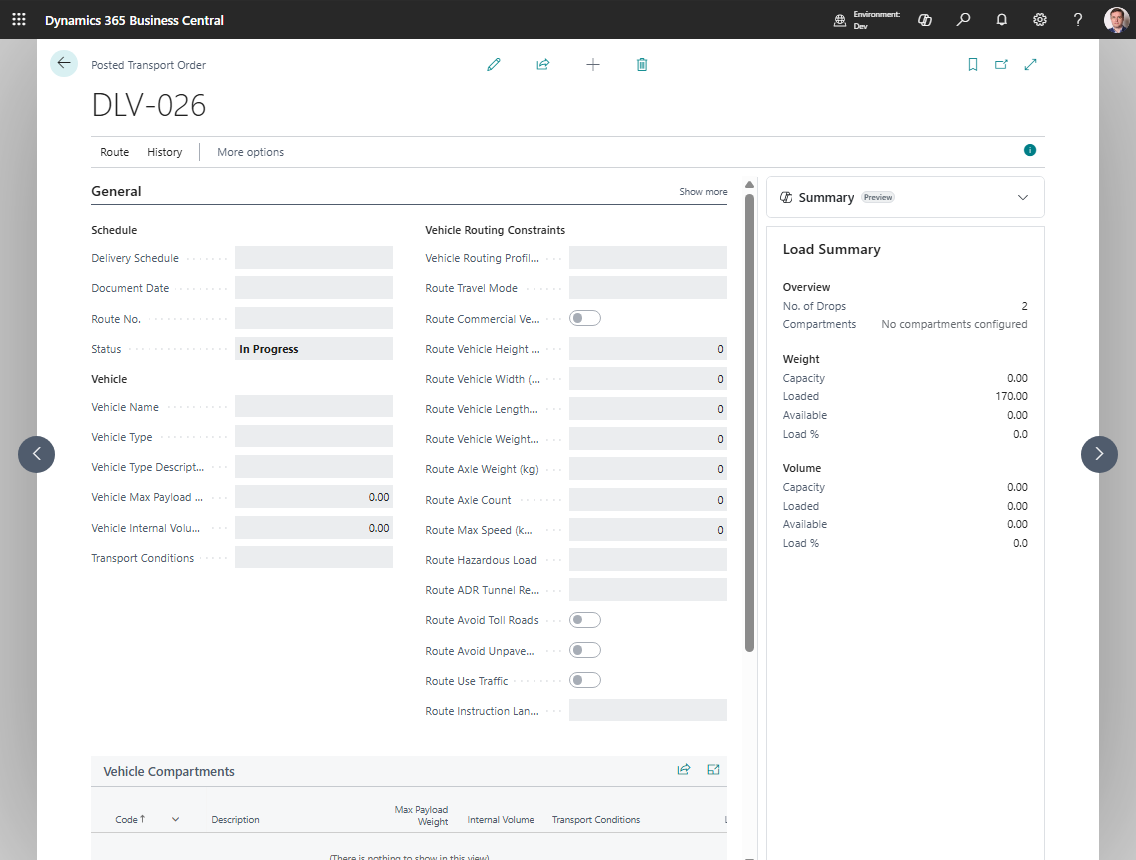
When to use it
Use this flow for customer service, audit review, delivery proof, or post-delivery investigation.
Before you start
- Execution entries, telematics events, or PoD attachments were recorded.
- The Transport Order is still live or has been posted.
- The user has permission to view execution entries and attachments.
Steps
- Open the live Transport Order or search for Posted Transport Orders.
- Open the relevant order.
- Choose Execution Entries.
- Review statuses, times, comments, coordinates, and route references.
- Open pictures or attachments when available.
- Review posted lines, charges, and source document references if the order is posted.
Expected result
- The user can see what happened during delivery.
- Attachments provide proof or supporting evidence when available.
- Posted history preserves the final route, resources, source links, and charges.
What to do next
Use the posted order for audit and customer-service questions. Use related sales, purchase, warehouse, or finance documents for corrections.
Common errors
| Problem | What to check |
|---|---|
| No execution entries appear | Event capture, API integration, telematics sync, and status profile setup |
| Attachment is missing | Attachment upload, permissions, and file type |
| Posted order is read-only | Posted history is intentionally read-only; corrections belong in related finance or source documents |