Installation
Use this guide to install Shipper TMS in your Business Central environment.
Before you start
- You need a Business Central environment where apps can be installed.
- You need admin rights in Business Central.
- Your users will also need Shipper TMS licenses and permission sets after installation.
Install the app
- Open Business Central.
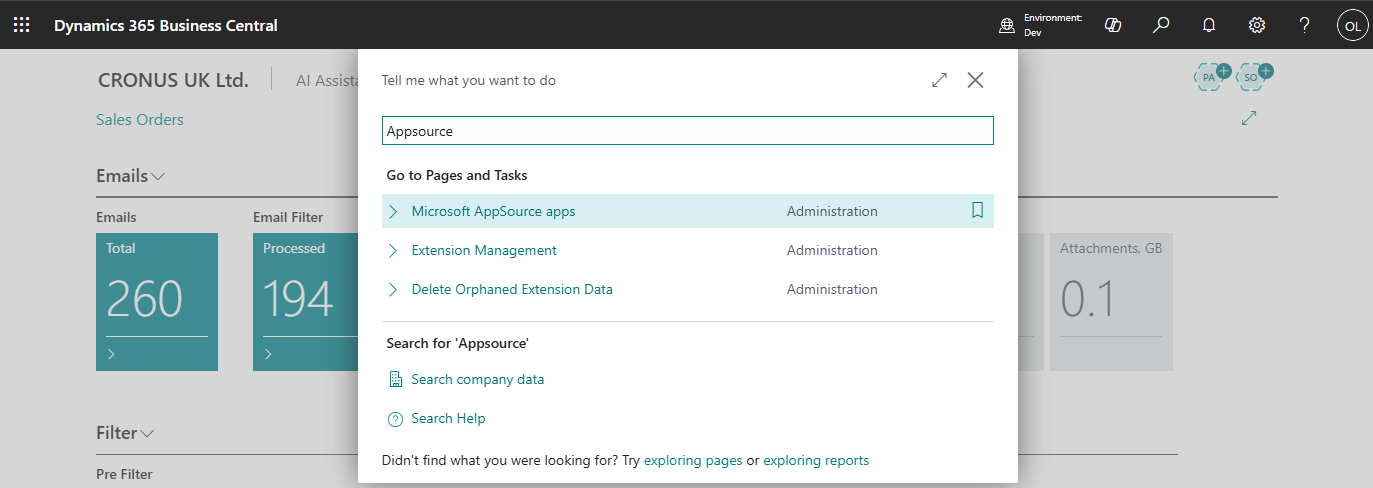
- Use Tell Me and search for Extension Marketplace or AppSource.
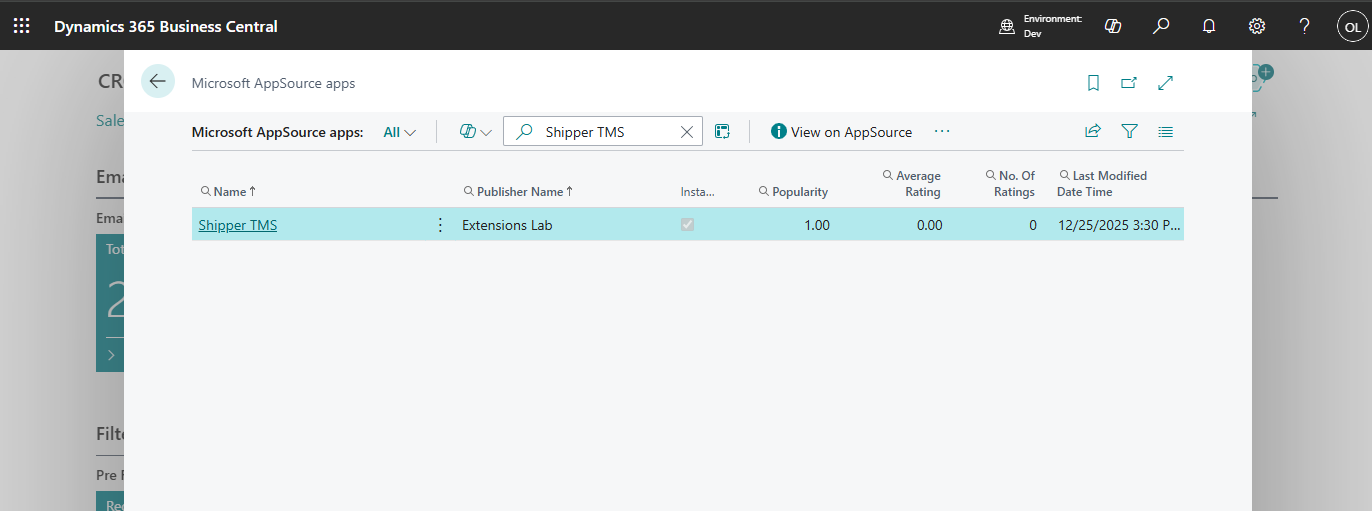
- Search for Shipper TMS.
- Open the app card.
- Choose Install or Get it now, depending on the AppSource flow shown in your tenant.
- Follow the on-screen prompts until installation is complete.
What to do next
After installation, complete these tasks in order:
Verify the installation
- Use Tell Me.
- Search for Shipper TMS Setup.
- Open the page.
If the page opens, the extension is installed correctly.