Transportation conditions
Use Transportation Conditions when your company must keep different cargo types separate, for example:
- Frozen
- Refrigerated
- Ambient
- Hazardous
Shipper TMS reads the configured item attribute and uses it to separate planning automatically.
How to work with this setup
Use this feature as a data rule, not as a daily planning page.
- Decide which item attribute represents transport condition.
- Create the allowed attribute values, such as Frozen, Refrigerated, Ambient, or Hazardous.
- Assign the values to items.
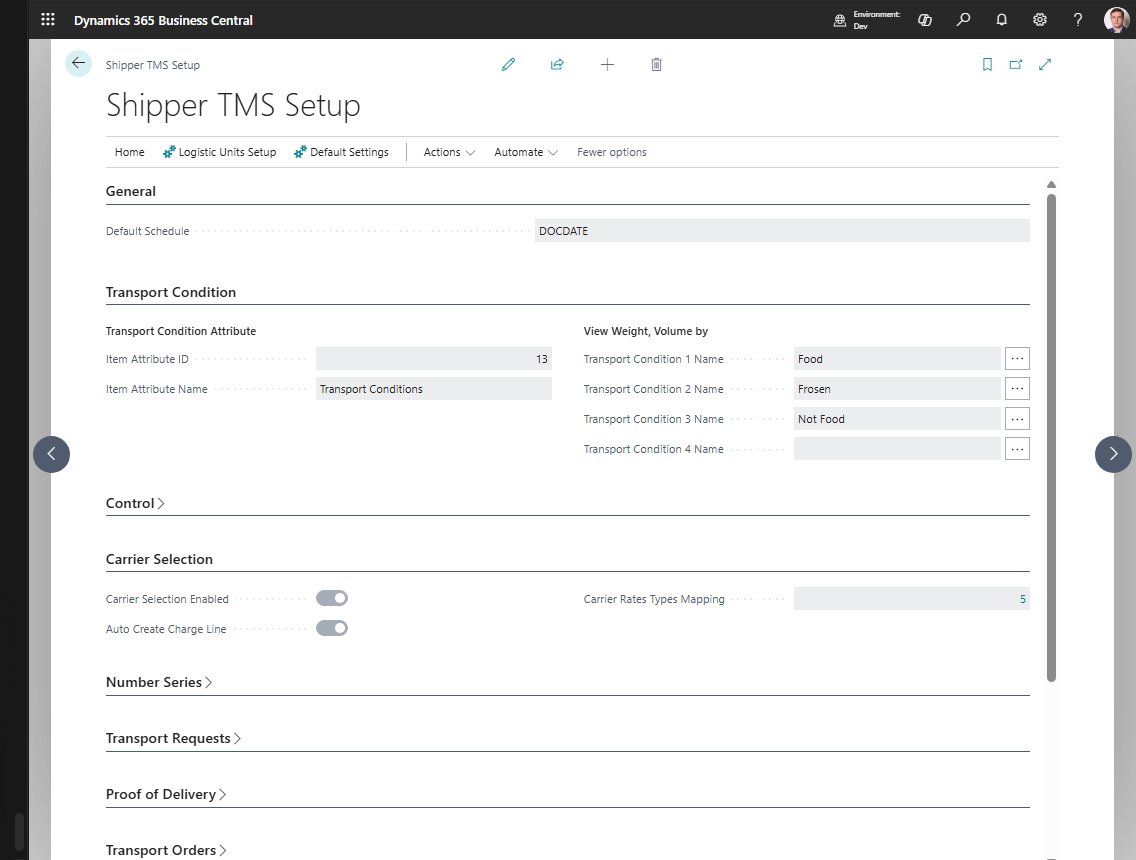
- In Shipper TMS Setup, select the attribute in Transport Condition.
- Optionally fill the four shortcut condition names if planners need separate weight and volume columns.
- Create a test source document with items from different conditions.
- Create Transport Requests and verify that the system separates the lines correctly.
- Test assigning the requests to the same Transport Order or compartment to confirm that compatibility rules behave as expected.
What happens when it is configured
When a source document contains items with different transportation-condition values:
- Shipper TMS groups them separately,
- separate Transport Requests are created,
- planners can assign them to different loads or compartments,
- compatibility checks prevent mixing incompatible cargo.
Set it up
- In standard Business Central, create the required Item Attribute and values.
- Assign those values to the relevant items.
- Open Shipper TMS Setup.
- In Transport Condition, select the attribute.
- If you want condition-specific analysis columns, fill Transport Condition 1..4 Name.
How it affects planning
Transportation conditions are used in:
- Transport Request creation,
- Transport Order compatibility checks,
- Transport Request Load Planning,
- Truck Load Management,
- compartment-based allocation.
Compartments
If a vehicle uses compartment configuration, the system can match cargo to the compartment condition and help keep the load separated correctly.
Example: frozen and ambient goods
A sales order contains frozen products and ambient products.
With transportation conditions configured:
- Shipper TMS reads the item attribute values from the source lines.
- Separate Transport Requests can be created for the different conditions.
- In Truck Load Management, the planner can assign both requests to the same multi-compartment vehicle only when each request has a compatible compartment.
- If the selected vehicle has no compatible compartment or the compartment capacity is exceeded, the candidate is shown as blocked or warning depending on the rule.
Verify
Create a source document with items that have different transportation-condition values.
Expected result:
- Shipper TMS creates separate requests,
- or blocks incompatible assignment to the same load when conditions do not match.