Drivers
Use Drivers to maintain the people who execute transportation. A driver record is used for:
- Transport Order assignment,
- Driver Load Management,
- default vehicle assignment,
- Proof of Delivery user mapping,
- telematics mapping and location history.
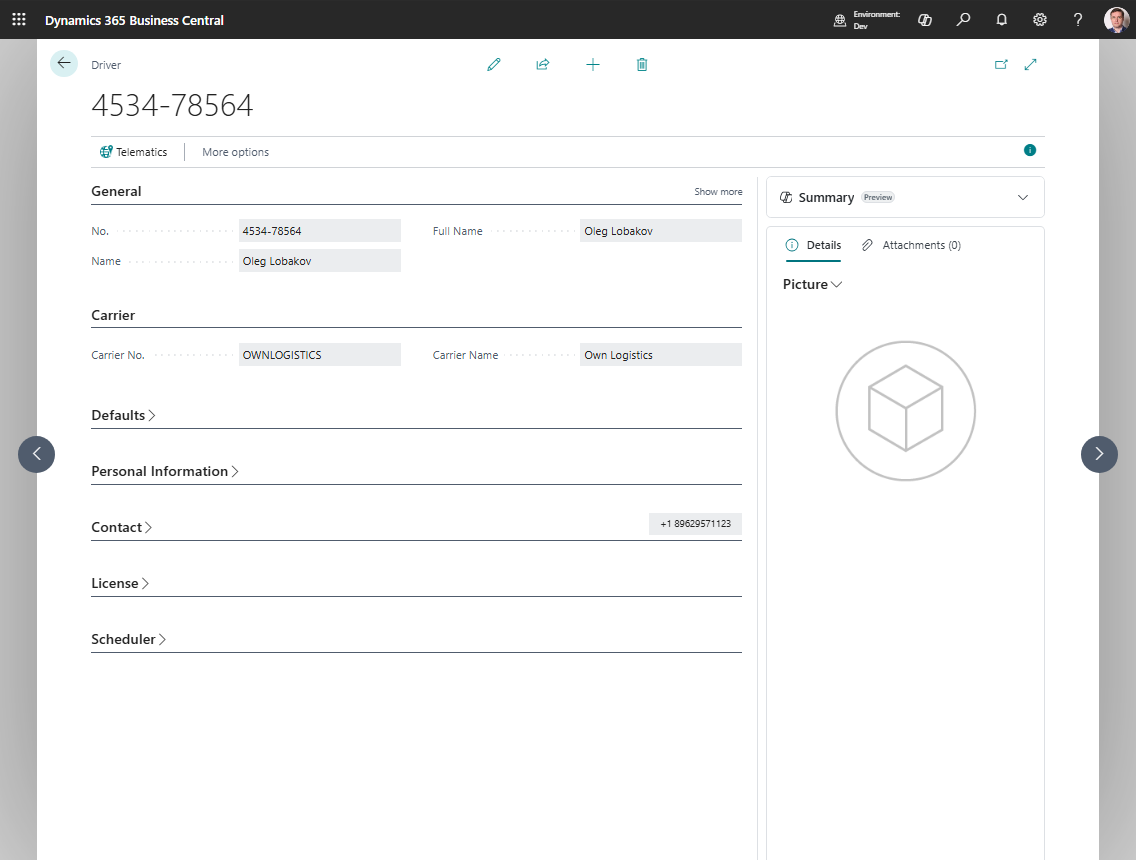
How to work in this page
Use the driver card to keep dispatching, compliance, and telematics data ready for planning.
- Fill General with the driver name and active/blocked state.
- In Carrier, select the carrier the driver works for.
- In Defaults, set Default Vehicle No. if the driver normally uses one vehicle.
- Maintain Contact and License data so dispatchers can see operational and compliance information.
- If Proof of Delivery is enabled, fill PoD User E-mail in Proof Of Delivery Settings.
- In Scheduler, set Scheduler Sort Order or Block for Scheduling.
- If telematics is used, use Telematics Mapping to connect this driver to the external provider identity.
- Use Current Location, Position History, and Telematics Log only after the driver has a telematics mapping.
Create a driver
- Search for Drivers.
- Choose New.
- Fill in No. and Name.
- Set Carrier No..
- If needed, set Default Vehicle No..
- Fill in the contact and compliance fields your company requires.
- If the driver should not appear in scheduling tools, enable Block for Scheduling.
Fields that matter most
| Field | Why it matters |
|---|---|
| Carrier No. | Controls which carrier the driver belongs to |
| Default Vehicle No. | Lets the system propose a vehicle automatically |
| Blocked | Prevents the driver from being used in new work |
| PoD User E-mail | Links the driver to the Proof of Delivery user |
| Scheduler Sort Order | Controls how the driver appears in scheduler views |
| Block for Scheduling | Removes the driver from planning boards without deleting the driver |
Compliance fields you should keep current
Review these regularly:
- License No.
- License Expiration Date
- Medical Card Number
- Medical Card Expiration
- ADR No.
- ADR Expiration Date
What happens on a Transport Order
When you assign a driver to a Transport Order:
- the driver name is filled automatically,
- the default vehicle can also be filled if the order does not already have one.
When you change the carrier on the order, Business Central clears incompatible vehicle or driver values to prevent mismatches.