Carriers
Use Carriers to define who executes transportation in Shipper TMS.
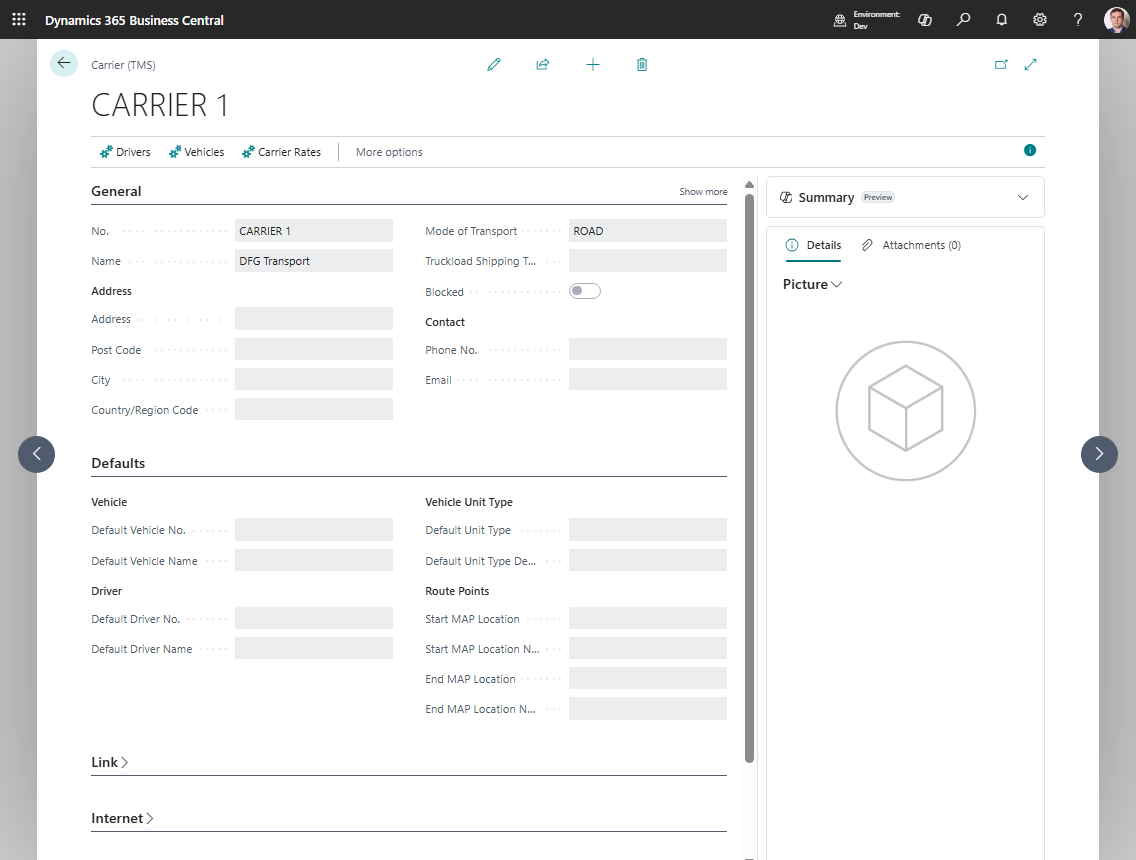
A carrier can represent:
- your own fleet organization,
- an external transport company,
- or a subcontracted carrier you use for specific routes.
The carrier record is also where you connect default resources, carrier rates, route points, and telematics.
When to maintain a carrier
Create or update a carrier when you need to:
- assign a default vehicle or driver,
- compare carrier rates with Carrier Selection,
- connect a carrier to a telematics setup,
- filter planning by carrier,
- exclude a carrier from scheduling.
How to work in this page
- Fill General and address/contact fields first.
- If the carrier represents a Business Central vendor, employee, resource, or shipping agent, use Source Type and Source No. in Link.
- In Defaults, set the default vehicle, driver, and vehicle unit type if they should be suggested on Transport Orders.
- In Route Points, set start and end map locations if this carrier always starts or ends from fixed points.
- In Telematics, set Telematics Setup Code if this carrier is connected to a provider.
- In Scheduler, use Scheduler Sort Order to control display order and Block for Scheduling to hide the carrier from planning boards.
- Use Drivers to review drivers linked to this carrier.
- Use Vehicles to review vehicles linked to this carrier.
- Use Carrier Rates when carrier selection is enabled.
Fields that matter most
| Field | Why it matters |
|---|---|
| Mode of Transport | Defaults transport settings on new orders |
| Default Vehicle No. | Fills the vehicle automatically on a Transport Order |
| Default Driver No. | Fills the driver automatically on a Transport Order |
| Default Unit Type | Helps keep capacity and equipment consistent |
| Start Map Location / End Map Location | Adds fixed carrier route points to carrier cost comparison when relevant |
| Telematics Setup Code | Connects this carrier to a provider connection |
| Blocked | Prevents the carrier from being used in new work |
| Block for Scheduling | Removes the carrier from scheduler-based planning |
What happens on a Transport Order
When you select a carrier on a Transport Order:
- the carrier name is filled,
- the default vehicle can be filled automatically,
- the default driver can be filled automatically,
- carrier-related telematics actions become available if the carrier has a telematics setup.