Telematics
Use Telematics when Shipper TMS must exchange route, dispatch, vehicle, driver, position, or execution data with a fleet platform.
Supported provider options include:
- Geotab,
- Samsara,
- Webfleet.
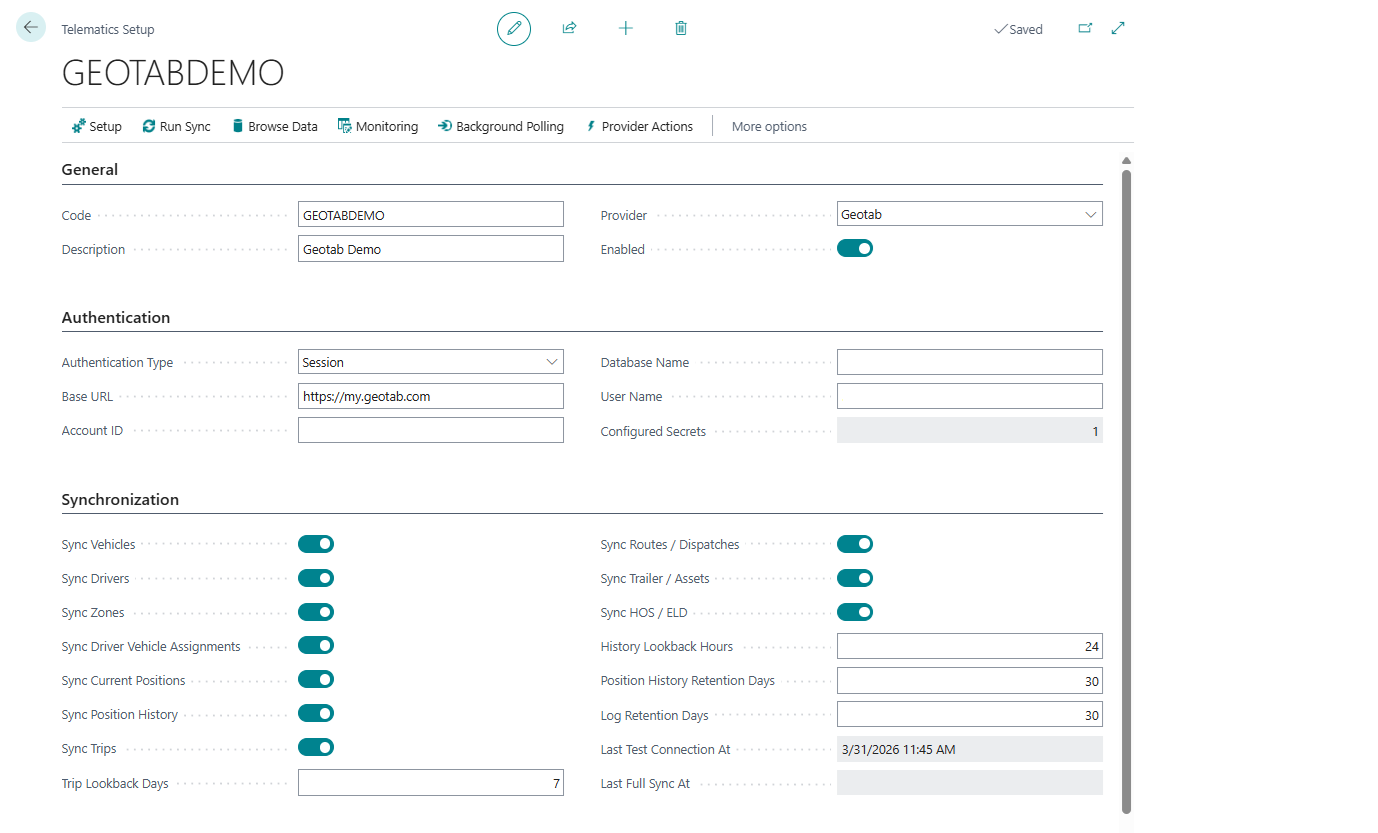
Telematics guide
| Topic | Use it for |
|---|---|
| Telematics overview | Understand what the telematics subsystem does |
| Telematics setup | Create provider setup records, credentials, and sync settings |
| Telematics provider mapping | Map external vehicles, drivers, zones, and locations to Shipper TMS records |
| Telematics dispatch | Publish, cancel, refresh, and review Transport Order dispatches |
| Telematics sync and logs | Review sync state, inbound messages, logs, positions, trips, and events |
| Telematics troubleshooting | Resolve common provider, mapping, webhook, and retry issues |
Transport Order actions
A connected order can expose actions such as:
- Publish to Telematics,
- Cancel Telematics Dispatch,
- Refresh from Telematics,
- Sync Execution Facts,
- Show Location,
- Telematics Dispatches,
- Telematics Links.
The exact action result depends on the provider, credentials, mapping, and provider-side configuration.
Security note
Telematics credentials, API tokens, webhook secrets, and provider payloads can contain sensitive operational data.
- Do not include keys or tokens in screenshots.
- Use secret management for passwords and tokens where available.
- Limit telematics admin API access to trusted integration accounts.